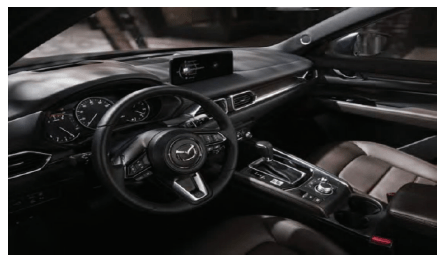
A frozen screen feels small until it steals the one thing modern drivers expect: control. For many U.S. owners, infotainment screen freezing has turned the Mazda CX-5 from a calm daily SUV into a guessing game at stoplights, school pickups, parking lots, and highway exits. The frustration is not about losing a playlist. It is about losing navigation, Bluetooth, radio control, phone access, and sometimes the confidence that the backup camera will behave when you shift into reverse. That is why drivers searching for clear car ownership advice keep landing on this issue. A Mazda that still drives well can feel worn down fast when the center screen locks, reboots, turns black, or ignores commands. Mazda service bulletins and a U.S. settlement site both show that screen freezes, reboots, black screens, non-response, and bootloop complaints have not been random chatter from a few picky owners. They have been serious enough to appear in official repair guidance and legal claims tied to certain Mazda Connect vehicles.
Why Infotainment Screen Freezing Is More Than a Comfort Complaint
The CX-5 has earned a strong name because it feels better from behind the wheel than many compact SUVs in its price range. That makes this screen problem sting more. Owners do not expect a luxury-car cabin, but they do expect the display to wake up, respond, and stay alive during a normal drive.
When a Frozen Screen Changes the Whole Drive
A frozen Mazda screen does not always announce itself with drama. Sometimes it starts with a slow loading circle after engine start. Other times the audio keeps playing while the screen ignores every tap, twist, or button press. A driver in suburban Ohio backing out of a tight driveway may not care about album art, but they care deeply when the display hesitates while the car is in reverse.
That is the part many casual explanations miss. This is not one feature failing in isolation. The screen sits at the center of navigation, phone control, entertainment, settings, camera views, and driver convenience. When it locks, the cabin suddenly feels less organized, even if the engine and transmission behave fine.
The counterintuitive part is that a frozen display can make a reliable vehicle feel unreliable. Nothing may be wrong with the powertrain. No warning light may appear. Still, the owner starts asking the same question every morning: will the screen work today?
Why Mazda Connect Problems Feel Worse in Daily Traffic
Mazda Connect problems often bother owners most during short local trips, not long highway runs. A ten-minute grocery drive includes startup, phone pairing, reverse camera use, parking sensors, audio changes, and maybe a quick navigation search. That short trip gives the software several chances to stumble.
A commuter in Los Angeles traffic may forgive a slow menu once. They will not forgive repeated freezes while trying to switch routes around a jam or answer a hands-free call. The stress grows because the driver cannot pull over every time the system decides to reboot.
Official Mazda bulletin language has named symptoms such as a screen freezing at loading status and a screen freezing and rebooting while driving, which gives owners a clear reason to treat the pattern as a service concern instead of a personal annoyance.
The Most Common Patterns Behind CX-5 Display Issues
A screen freeze can feel mysterious, but the pattern often leaves clues. Owners who track when it happens usually find a trigger: cold starts, Bluetooth messages, navigation SD card behavior, CarPlay activity, USB media, SiriusXM data, or a software version that needs an update.
CX-5 Display Issues Linked to Phones, USB, and Audio Sources
CX-5 display issues often appear after the system tries to handle too many small jobs at once. A phone connects. A text arrives. CarPlay loads. The audio source changes. The driver shifts from reverse to drive. None of that sounds heavy, but vehicle software has to process it in order.
Mazda service information has referenced bugs involving Bluetooth messages, audio-source screens, CarPlay behavior, USB devices, and system reboots. A 2023 bulletin for 2021–2023 CX-5 and CX-9 models says certain concerns could be fixed with Mazda Connect software version 7000C0A-NA03_11048 or later, and it lists issues such as reboots and screen freezes when messages arrive under Bluetooth connection.
A smart first move is to simplify the cabin before blaming the screen itself. Remove unused phones from the paired-device list. Try a different cable. Pull the navigation SD card only when a dealer or manual-safe process supports that step. A bad accessory can make a good system look guilty.
How an Infotainment Reboot Loop Can Start Small
An infotainment reboot loop usually begins as one odd restart. The display goes black, returns to the Mazda logo, loads again, then repeats. Drivers often assume the screen is dying, but the fault may sit deeper in the connectivity master unit, software, navigation data, or connected device behavior.
That distinction matters because replacing the screen alone may not fix a software-driven loop. One owner with a 2018 CX-5 might pay for a display and still face the same restart pattern a week later. A better repair path starts with version checks, fault confirmation, and a service history that shows when the reboot happens.
The best evidence is boring evidence. Record a short phone video when the system freezes, write down the outside temperature, note the phone model, list the cable type, and save the dealer repair order. Those dull details can move a service visit from “unable to duplicate” to a serious diagnostic conversation.
What Owners Should Do Before Paying for Repairs
Money gets wasted when owners attack this problem in the wrong order. A frozen screen invites panic because it feels electronic, and electronic repairs sound expensive. The better move is to slow down, document the symptom, and make the service counter work from evidence.
Check Warranty, Settlement, and Dealer Records First
The Mazda Connect settlement site says the case involved claims that certain Mazda Connect systems could reboot, freeze, become non-responsive, enter a bootloop, show audio or video errors, or otherwise malfunction. Mazda denied the claims, and the site lists covered models including CX-5 model years 2016–2020. It also describes a limited warranty extension and possible reimbursement for certain out-of-pocket expenses tied to software updates and repairs for items such as the CMU, SD card, display, and rear-view camera.
That does not mean every CX-5 owner gets free work. It means U.S. owners with affected model years should stop guessing and verify eligibility, service history, and dealer options before spending cash. A 2019 CX-5 owner in Texas with repeated screen freezes should bring the VIN, past invoices, and symptom notes to the dealer instead of starting at an independent audio shop.
Internal records also matter. Link this issue on your site to a used SUV inspection checklist and a vehicle software update guide so readers understand that modern car repairs often begin with documentation, not tools.
When Backup Camera Glitches Raise the Stakes
Backup camera glitches change the conversation because the problem moves from convenience into visibility. A lagging or frozen camera image can make parking feel unsafe, especially near kids, pets, bikes, or tight garage walls. Even a one-second delay can rattle a careful driver.
Owners should never treat camera trouble as a normal quirk. If the screen freezes while shifting into reverse, mention the camera impact clearly on the repair order. Do not let the complaint get written as “radio freezes” when the actual concern includes rear visibility.
The unexpected lesson is that the wording on the service ticket can shape the repair path. A vague complaint may lead to a reset. A clear complaint that describes reverse-camera behavior, screen status, and repeat conditions gives the technician a better target.
How to Reduce Repeat Freezes and Protect Resale Value
A repair is only part of the story. Owners also need habits that reduce repeat screen trouble and protect the vehicle’s paper trail. In the used-car market, a CX-5 with clean service records and fixed software concerns will always look stronger than one with vague tech complaints.
Build a Simple Service Routine Around Software
Software updates should not feel exotic anymore. Cars now carry rolling code, device compatibility demands, map data, app links, and subscription features. That creates a new kind of maintenance that many owners still ignore because it does not involve oil, tires, or brakes.
Ask the dealer to check the Mazda Connect version during regular service. Keep repair orders that show the software version, complaint, action taken, and result. A Florida owner planning a summer road trip should not wait until the navigation freezes on I-75 before asking whether the system is current.
Recent Mazda guidance for another Mazda Connect system also shows that software releases continue to address black screens, freezes, wireless phone connection trouble, and related display bugs in newer vehicles. That wider pattern tells owners one thing plainly: screen behavior can remain a software-maintenance issue long after the new-car smell disappears.
Stop Treating the Screen Like a Standalone Gadget
The CX-5 screen is not a tablet glued to the dash. It talks to phones, cameras, audio modules, steering controls, navigation data, settings, and sometimes driver-assist displays. That networked design means one weak link can make the whole center display look broken.
A careful owner should test one change at a time. Delete a phone pairing and drive for two days. Replace a cable and observe. Remove an overloaded USB drive from the routine. Avoid stacking changes because that creates confusion when the problem returns.
Backup camera glitches, audio dropouts, black screens, and freezing menus deserve the same record-keeping because they may point to a shared control issue. The goal is not to become a technician. The goal is to walk into the service lane with enough detail that no one can wave the problem away.
Conclusion
The Mazda CX-5 still has a lot going for it, and that is exactly why owners should not accept a frozen center screen as normal. A good SUV should not make you restart your drive mentally every time the display hangs. The smartest path is calm, firm, and documented: note the pattern, simplify connected devices, check software status, confirm warranty or settlement coverage, and make the dealer write the real symptom on the repair order. Infotainment screen freezing is not always a sign of a ruined display, but it is a sign that the system needs attention before the problem becomes part of your daily routine. Treat the screen like a core vehicle function, not a side gadget. If your Mazda has frozen more than once, gather your records and schedule a proper diagnostic visit before the next drive turns a small glitch into a bigger ownership headache.
Frequently Asked Questions
Why does my Mazda CX-5 infotainment screen freeze after startup?
A startup freeze often points to software loading trouble, connected-device conflict, navigation data delay, or a Mazda Connect version that needs attention. Note whether it happens in cold weather, after phone pairing, or with a USB device connected, then ask the dealer to check software status.
Can Mazda Connect problems affect the backup camera?
Yes, screen or system faults can affect what appears on the center display, including camera behavior. If the camera image freezes, lags, or fails while reversing, describe it as a visibility concern on the service order instead of calling it a radio problem.
Is a black Mazda CX-5 screen always a bad display?
No. A black screen can come from software, power state, firmware bugs, connection trouble, or a control module issue. Replacing the screen without checking updates, fault codes, and connected devices may waste money and leave the original problem untouched.
How do I prove CX-5 display issues to the dealer?
Record a short video, note the date, temperature, phone model, cable type, audio source, and whether the vehicle was in park, drive, or reverse. Ask the service advisor to write those details on the repair order so the complaint is documented.
Will a software update fix an infotainment reboot loop?
A software update can fix some reboot patterns, especially when the issue matches a known Mazda Connect concern. It will not fix every case. A repeated loop may also involve the CMU, navigation SD card, display hardware, or another connected component.
Should I reset my Mazda infotainment system myself?
A soft reset may help with a temporary freeze, but repeated resets are not a repair plan. If the same fault returns, document the behavior and seek diagnosis. Constantly resetting the system can hide the pattern that a technician needs to confirm.
Are used Mazda CX-5 models with screen problems risky to buy?
They can be risky if the seller has no repair records. Ask for proof of software updates, dealer visits, and any CMU, display, SD card, or camera work. A fixed and documented issue is far less concerning than a vague promise that it “happens sometimes.”
What should I do before paying for Mazda infotainment repairs?
Check warranty status, settlement eligibility for affected model years, dealer bulletins, and prior service history first. Bring your VIN and repair records. Paying for parts before confirming the software version and exact fault can turn a manageable issue into an expensive guess.